In short
Exclaimer is email signature management software. It applies centrally designed signatures and disclaimers to every email sent from Microsoft 365, Google Workspace or Microsoft Exchange, server-side, client-side or both, using details from your directory. It is licensed per active mailbox in Starter, Standard and Pro plans. We supply Exclaimer; ask us for a quote.
Get a quote for Exclaimer
Tell us roughly how many users or sites you have and we will come back to you with options and a quote.
What Exclaimer does
Exclaimer takes email signatures out of the hands of individual users. An administrator designs the signature once, sets rules for who gets which version, and Exclaimer applies it to every message. Exclaimer describes four things the software does on every plan:
- Central management: one place to control the signature for every member of staff
- Details from your directory: names, job titles and contact details are synchronised from your directory, so signatures stay accurate when people join, move or leave
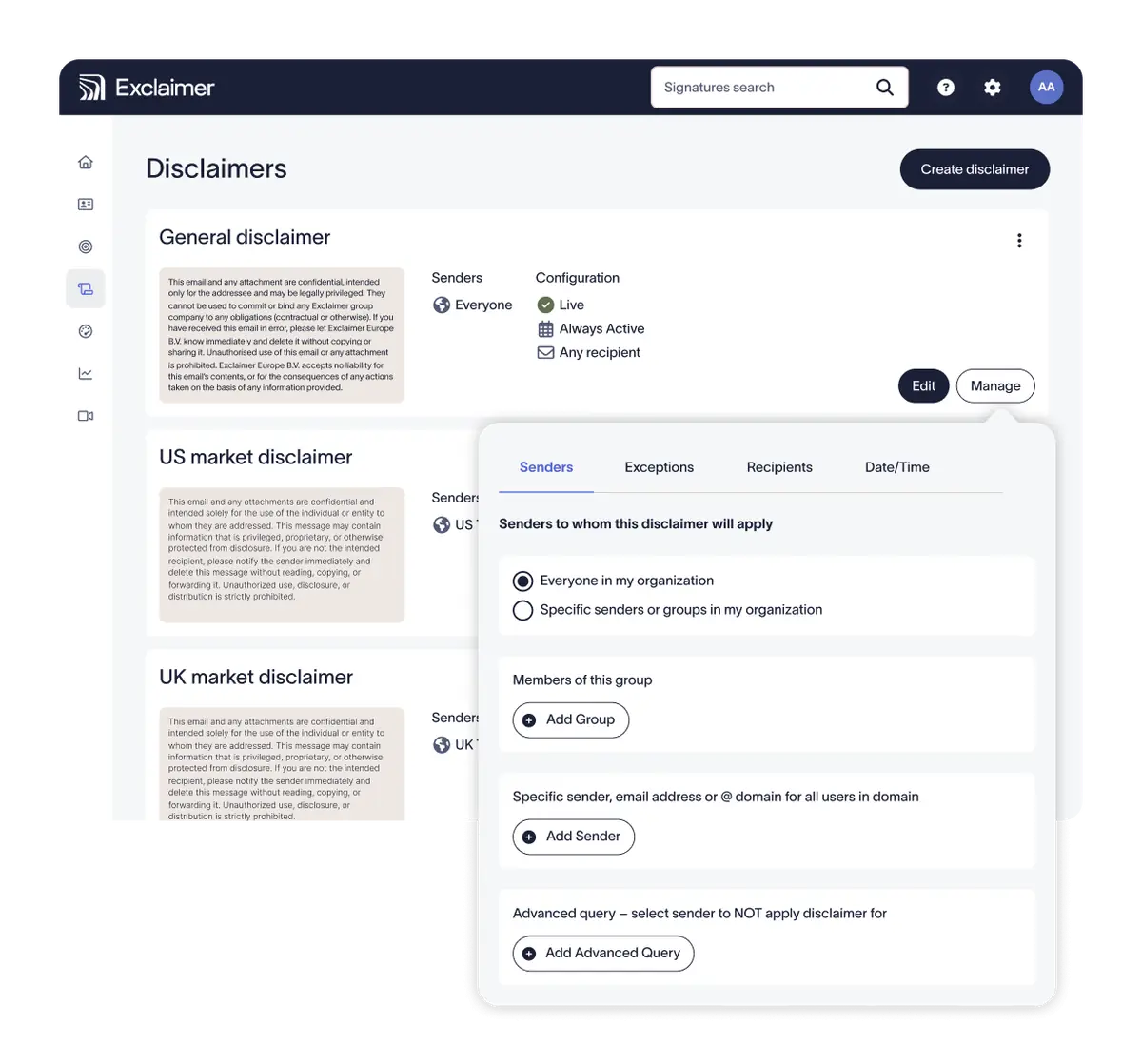
- A disclaimer on every email: legal and regulatory wording is applied without relying on each user
- The same signature on every device: including mail sent from phones and tablets
Because every outgoing message passes the same rules, Exclaimer is as much a compliance and mail-flow tool as a design one, which is why it sits beside the email security solutions we supply. The general case for managing signatures this way is in our email signature management guide.
In the product

Platforms: Microsoft 365, Google Workspace and Exchange
| Mail platform | How Exclaimer works with it |
|---|---|
| Microsoft 365 | Server-side through Microsoft 365 connectors, client-side through an Outlook add-in, or both. User details are synchronised from Microsoft Entra ID |
| Google Workspace | Server-side, client-side in Gmail, or both. User details are synchronised from Google Directory |
| Microsoft Exchange | On-premises Exchange, hybrid Exchange and Exchange Online, managed online rather than on a server. Signatures move with you when you migrate to Microsoft 365 |
Exclaimer supports all three, so your signature tool need not change if your mail platform does: Exclaimer says signatures carry over when an organisation moves from Exchange servers to Microsoft 365.
Not sure which option fits? Ask us
Tell us what you need and we will recommend the right option for your organisation, with a quote.
Server-side and client-side signatures
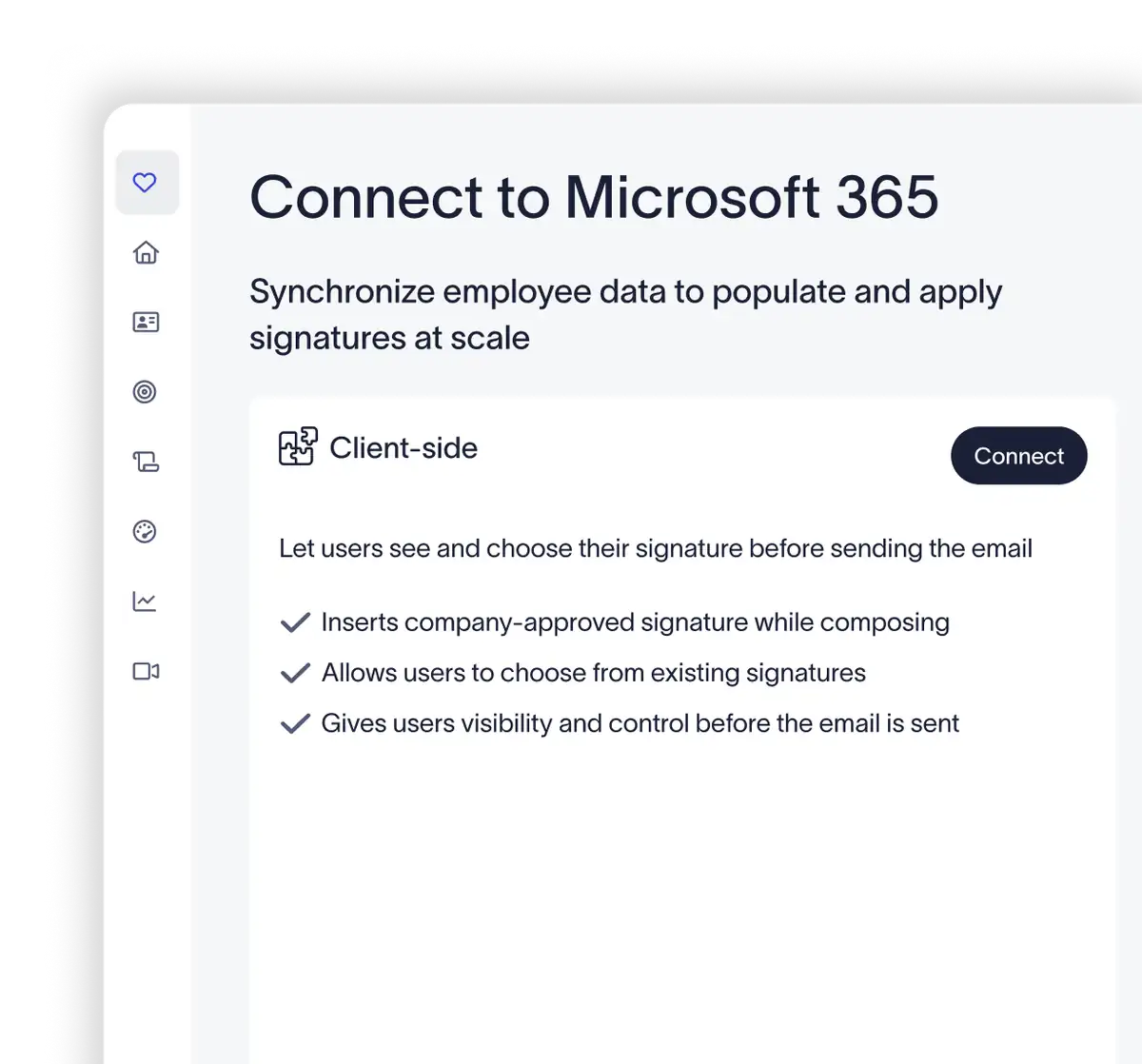
Exclaimer applies signatures in two ways, and every plan allows either or both. Server-side signatures are added after the user presses send, as the message passes through Exclaimer's cloud service, so they reach every email from every device and users cannot change or remove them. Client-side signatures are placed in Outlook or Gmail, so the user sees the signature while writing. Used together, people see their signature as they type and every message is still checked at the server. Our Exclaimer for Office 365 page explains both in detail, with the mail flow and security questions buyers ask.
The plans at a glance
| Plan | What Exclaimer says it is for |
|---|---|
| Starter | One team that wants every signature consistent: one signature template and one brand kit |
| Standard | Teams and regions that need their own signatures and banners: unlimited templates, targeting rules, scheduling and three brand kits |
| Pro | Several brands, with engagement data and directory control: unlimited brand kits, dashboards, HR system and CRM integrations and meeting branding |
| Enterprise | Standard or Pro, plus hands-on help from Exclaimer for large or complex roll-outs |
The feature-by-feature comparison, how mailboxes are counted and how billing works are on our Exclaimer pricing and plans page.
Is Exclaimer the right fit for you?
We will check it against your systems and requirements and recommend the right option.
UK licensing and buying at a glance
| Buying fact | Exclaimer |
|---|---|
| What you buy | One plan for the organisation: Starter, Standard or Pro, with Enterprise for large roll-outs |
| Licence unit | Per active mailbox: an email address that has a signature applied |
| Mail platforms | Microsoft 365, Google Workspace and Microsoft Exchange |
| Deployment | Server-side, client-side or both, on every plan |
| Billing | Can be billed monthly, terms confirmed at quote |
| How we supply it | We quote the plan and mailbox count, supply the subscription and can help set it up |
| How to buy | Ask us for a quote |
Campaign banners, brand kits and meeting branding
Beyond the signature itself, Exclaimer's plans add tools that marketing and communications teams use:
- Campaign banners: clickable banners under the signature. Starter allows a single banner; Standard and Pro allow several that rotate, managed as campaigns and scheduled by date
- Targeting: from Standard, different signatures for internal and external mail, for departments and teams, and for recipients at particular email domains
- Brand kits: logos, colours and fonts held in one place and applied to every template that uses them. One kit in Starter, three in Standard, unlimited in Pro
- Meeting branding: in Pro, the same control for video meetings, with branded name tags and optional backgrounds
- Dashboards: in Pro, reports on signature usage and on clicks, so campaigns can be measured
Sources (checked 11 November 2026): Exclaimer's pricing and plans page and its product pages for Microsoft 365, Google Workspace and Microsoft Exchange.
Integrations
Exclaimer lists integrations in these groups. Which ones you can use depends on the plan; the CRM, social feed and HR system integrations are in Pro.
| Group | What Exclaimer lists | What it is for |
|---|---|---|
| Directories | Microsoft Entra ID, Google Workspace Directory, Okta Universal Directory | Keeping names, titles and contact details accurate, and single sign-on to Exclaimer |
| HR systems | Workday, BambooHR, UKG Ready, SAP SuccessFactors, ADP Workforce Now | Filling gaps in directory data from the HR record |
| CRM | HubSpot, Salesforce | Targeting signatures and banners at recipient lists you already hold |
| Social | LinkedIn, Facebook | Showing your latest posts in the signature |
| Sales tools | Salesloft, Outreach | Applying signatures to sales outreach emails |
| Meeting booking | Microsoft Bookings, Calendly, Chili Piper | A booking link in every signature |
Sources (checked 11 November 2026): Exclaimer's integrations page.
How Exclaimer compares
When you compare email signature software, these are the points that separate one tool from another, with what Exclaimer covers for each:
| What to compare | What Exclaimer covers |
|---|---|
| Mail platforms | Microsoft 365, Google Workspace and Microsoft Exchange |
| How signatures are applied | Server-side, client-side or both, on every plan |
| Where details come from | Your directory, with HR system integrations in Pro and fields that users may edit where you allow it |
| Who can manage what | Role-based access, so marketing or legal can manage content while IT keeps control |
| Disclaimers | Applied to every email, with dedicated disclaimer settings from Standard |
| Campaigns and measurement | Banners on every plan; scheduling and campaign management from Standard; dashboards in Pro |
| Security and data location | Independent certifications and in-region processing in Microsoft Azure, covered on our Office 365 page |
If you are weighing Exclaimer against another tool, tell us which one and what you run today and we will set out how Exclaimer fits your mail platform and policies.
How we supply it and help set it up
We supply Exclaimer subscriptions to organisations and can help with the work around them:
- Choosing the plan against what you need: one signature for everyone, signatures by team or brand, or campaigns and reporting
- Counting active mailboxes correctly, including shared mailboxes that send mail
- Connecting Exclaimer to Microsoft 365 or Google Workspace and choosing server-side, client-side or both
- Updating SPF for your sending domains and checking the route with any email security gateway you run
- Moving an existing Exclaimer subscription to us at renewal
Contact us with your mail platform and the number of mailboxes, and we will send a quote.
Exclaimer pricing
Exclaimer is charged per mailbox on the Starter, Standard or Pro plan, so the plan and the number of addresses that carry a signature set your quote.
Our Exclaimer pricing page sets out how pricing works.
Get a quote for Exclaimer
Tell us what you need and we will come back to you with a quote.
Exclaimer guides
 Email signature managementWhy organisations manage email signatures centrally, what email signature software does and what to look for when you choose it.Exclaimer pricingHow Exclaimer is licensed, the Starter, Standard and Pro plans compared feature by feature, and what we need to quote.Exclaimer for Office 365How Exclaimer works with Microsoft 365: server-side and client-side signatures, directory data, domains, mail flow and security.
How Forever Systems helps with email security
We are an independent UK IT and cyber security provider. We supply several email security platforms, so we can suggest what suits your mail system, your risks and your budget.
- Start with what you have: we can review the protection already built into Microsoft 365 or Google Workspace before suggesting anything extra
- Compare like for like: API-based protection, secure email gateways and email filtering, encryption services and DLP from the vendors we supply, explained in plain English
- Get authentication right: we help you plan SPF, DKIM, DMARC and MTA-STS so genuine mail is delivered and spoofed mail is not
- Deployment help: connecting a platform to Microsoft 365 or Google Workspace, mail routing changes and policy set-up, scoped at quote
- Email signatures: one approved signature and disclaimer on every email with Exclaimer email signature management
- People and backup too: security awareness training, Check Point Email Security and Sophos from our specialist sites
Tell us about your mail system and we will suggest options, with pricing confirmed at quote.
Frequently asked questions
What is Exclaimer?
Exclaimer is email signature management software. It lets an organisation design its email signatures and disclaimers centrally and applies them to every email sent from Microsoft 365, Google Workspace or Microsoft Exchange, using contact details from the directory. It is sold in Starter, Standard and Pro plans, licensed per active mailbox.
How does Exclaimer work?
An administrator designs signature templates and sets rules for who receives which one. Exclaimer then applies the signature server-side, as the message passes through its cloud service after sending, client-side inside Outlook or Gmail while the user writes, or both. Names, job titles and contact details are synchronised from your directory.
Does Exclaimer work with Google Workspace?
Yes. Exclaimer synchronises user details from Google Directory and applies signatures to Gmail server-side, client-side or both. Every plan allows any of the three methods on Google Workspace.
Does Exclaimer work with Microsoft Exchange?
Yes. Exclaimer lists on-premises Exchange, hybrid Exchange and Exchange Online, managed online. Server-side signatures for on-premises Exchange are routed to Exclaimer's cloud service by a transport agent, and Exclaimer says signatures carry over when you move to Microsoft 365.
Exclaimer vs CodeTwo: what does Exclaimer support?
Exclaimer supports Microsoft 365, Google Workspace and Microsoft Exchange, applies signatures server-side, client-side or both on every plan, and adds campaign banners, brand kits and, in Pro, meeting branding and dashboards. If you are comparing the two, tell us what you run today and we will set out how Exclaimer fits.
Can we buy Exclaimer in the UK through you?
Yes. We supply Exclaimer: we quote the plan and the number of active mailboxes, supply the subscription and can help connect it to your mail platform. Ask us for a quote.
Still have a question about Exclaimer?
Ask us and a member of our team will get back to you.