In short
Exclaimer for Office 365 applies signatures to Microsoft 365 mail server-side, by routing sent messages through Exclaimer's Azure-hosted service with connectors, client-side through an Outlook add-in, or both. User details come from Microsoft Entra ID. Server-side routing needs an SPF update for each sending domain. We supply Exclaimer and can help set it up; ask us for a quote.
Get a quote for Exclaimer
Tell us roughly how many users or sites you have and we will come back to you with options and a quote.
How Exclaimer connects to Microsoft 365
An administrator authorises Exclaimer to read user details from the directory and, for server-side signatures, sets up connectors and a mail flow rule in Exchange Online. Exclaimer describes two methods that can be used separately or together:
| Server-side (cloud deployment) | Client-side (Outlook add-in) | |
|---|---|---|
| When the signature is added | After the user sends, as the message passes through Exclaimer | While the user writes, inside Outlook |
| Devices covered | Every device and mail app, including phones | Outlook on Windows, macOS, the web and mobile |
| Can users change it? | No: it is applied after sending | Users choose from the signatures assigned to them |
| Does mail leave the tenant? | Yes: it is routed to Exclaimer's Azure-hosted service and back | No: mail is not routed through Exclaimer |
| What users see | The signature in Sent Items, where that setting is on | The signature as they type |
Not sure which option fits? Ask us
Tell us what you need and we will recommend the right option for your organisation, with a quote.
Server-side signatures
With server-side signatures, a message sent from any device goes from Exchange Online to Exclaimer through a connector, has the right signature and disclaimer applied by rule, and is passed back to Microsoft 365 for delivery. Exclaimer says the signature is applied after sending, so users cannot edit or bypass it, and that the result can be shown in each user's Sent Items folder through a mail flow setting.
This is the method to choose when the disclaimer must be on every message, or when a large share of mail is sent from phones and tablets.
Client-side signatures in Outlook
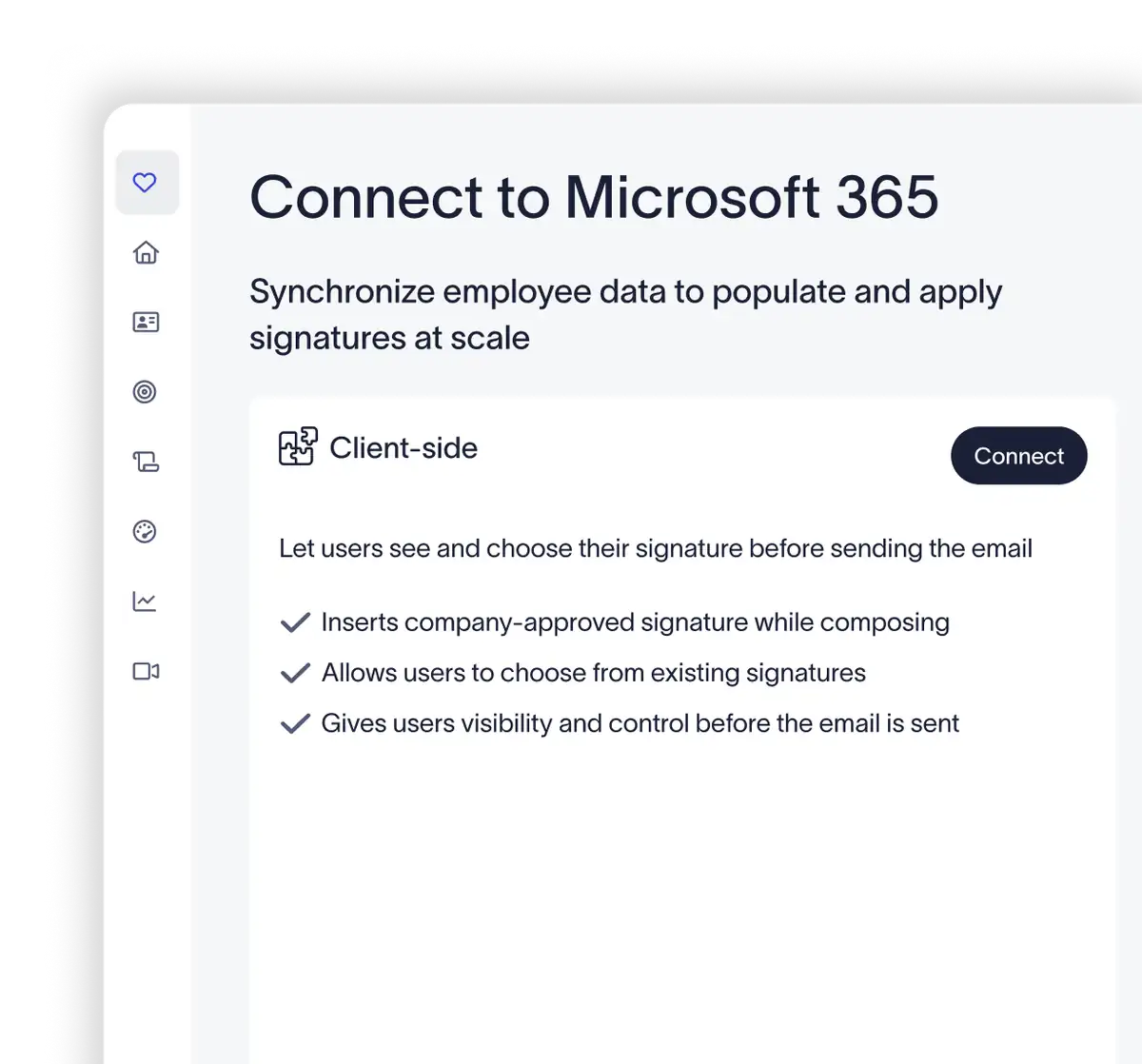
With client-side signatures, an Outlook add-in that the administrator deploys centrally places the signature in the message while the user writes it. Exclaimer says the add-in lets a user choose from the signature templates assigned to them, with defaults for new messages and replies, and works in Outlook on Windows, macOS, the web and mobile.
Because mail is not routed through Exclaimer, this method suits organisations that prefer signatures to be applied inside the mail app.
Is Exclaimer the right fit for you?
We will check it against your systems and requirements and recommend the right option.
Using both
Most organisations that want the best of each run both. People see their signature as they type, and the server-side step makes sure every message, from any device or app, leaves with the approved signature. Exclaimer says it removes duplicates automatically, so a message signed in Outlook is not signed again at the server. Every Exclaimer plan allows server-side, client-side or both.
Directory data and how changes reach signatures
Exclaimer fills signatures from Microsoft Entra ID. Once an administrator grants permission, it reads user attributes such as names, job titles, contact details and photos. Exclaimer says the synchronisation for Microsoft 365 runs automatically twice a day and can be started by hand, so a job title corrected in the directory reaches the signature without anyone editing a template.
Two options sit on top of that. Administrators can allow users to edit chosen fields, such as pronouns or a direct number, while the rest stay locked (two fields in Standard, unlimited in Pro). And Pro adds HR system integrations for details the directory does not hold.
Several domains or tenants
A Microsoft 365 tenant usually holds several domains. Exclaimer's support documentation says that when you add or change a domain in the same tenancy, no change is needed in Exclaimer once the data has synchronised and mail routes through its connector, and rules can then give each domain or brand its own signature. Each sending domain needs its own SPF update for server-side signatures.
Groups with more than one tenant, for example after an acquisition, are scoped at quote: tell us how many tenants and domains you run and we will set out how the subscription and signatures would be arranged.
Mail flow and security
Server-side signatures put Exclaimer in your outbound mail path, so buyers reasonably ask three things.
Email authentication. Exclaimer's documentation says that for server-side signatures to pass the SPF check, the SPF record for each sender domain must be updated. Client-side signatures need no change. If you sign mail with DKIM or publish a DMARC policy, check alignment after the change; our sister site covers DMARC (opens in a new tab) in depth.
Running Exclaimer with an email security gateway. Exclaimer's support documentation lists Mimecast, Proofpoint, Symantec Cloud, Barracuda and Fusemail as security services known to work with its Microsoft 365 signatures, and recommends this order: sender, Microsoft 365, Exclaimer, Microsoft 365, the security service, recipient. That way the signature is applied before the gateway scans and sends the message. See our pages on Mimecast and email security gateways.
Is Exclaimer secure? Exclaimer states that mail is routed through its Azure-based service within your own region, that no email content is stored and that data in transit is protected with TLS. It lists SOC 2 Type II, ISO/IEC 27001 and ISO/IEC 27018 certification, Cyber Essentials, and compliance with GDPR, and it supports multi-factor sign-in through Microsoft and Google single sign-on.
Sources (checked 11 November 2026): Exclaimer's product pages for Microsoft 365, cloud deployment, device deployment, directory synchronisation and security, and Exclaimer's support documentation on SPF, DMARC, new domains and third-party security solutions.
UK licensing and buying at a glance
| Buying fact | Exclaimer for Microsoft 365 |
|---|---|
| Licence unit | Per active mailbox: an email address that has a signature applied |
| Plans | Starter, Standard and Pro, each with server-side, client-side or both |
| What you need in Microsoft 365 | An administrator to grant directory access and, for server-side signatures, set up connectors |
| Billing | Can be billed monthly, terms confirmed at quote |
| How we supply it | We quote the plan and mailbox count, supply the subscription and can help set it up |
| How to buy | Ask us for a quote |
The plans are compared on our Exclaimer pricing and plans page.
What set-up involves and how we help
- Agree which mailboxes carry a signature and which method you want: server-side, client-side or both
- Authorise Exclaimer to read user details from Microsoft Entra ID and tidy the directory fields the signature will use
- Design the templates and rules, starting with one group of users
- For server-side signatures, set up the connectors and mail flow rule, update SPF for each sending domain and check the route with any gateway
- For client-side signatures, deploy the Outlook add-in centrally
- Roll out to everyone and check signed mail from desktop, web and phone
We can do this with your IT team or for you. Contact us with your user count and what you run today.
Exclaimer for Office 365 pricing
Exclaimer for Microsoft 365 uses the same plans as every Exclaimer deployment, whether you choose server-side signatures, client-side signatures in Outlook or both.
Our Exclaimer pricing page sets out how pricing works.
Get a quote for Exclaimer
Tell us what you need and we will come back to you with a quote.
How Forever Systems helps with email security
We are an independent UK IT and cyber security provider. We supply several email security platforms, so we can suggest what suits your mail system, your risks and your budget.
- Start with what you have: we can review the protection already built into Microsoft 365 or Google Workspace before suggesting anything extra
- Compare like for like: API-based protection, secure email gateways and email filtering, encryption services and DLP from the vendors we supply, explained in plain English
- Get authentication right: we help you plan SPF, DKIM, DMARC and MTA-STS so genuine mail is delivered and spoofed mail is not
- Deployment help: connecting a platform to Microsoft 365 or Google Workspace, mail routing changes and policy set-up, scoped at quote
- Email signatures: one approved signature and disclaimer on every email with Exclaimer email signature management
- People and backup too: security awareness training, Check Point Email Security and Sophos from our specialist sites
Tell us about your mail system and we will suggest options, with pricing confirmed at quote.
Frequently asked questions
Does Exclaimer work with Office 365?
Yes. Exclaimer supports Microsoft 365, formerly Office 365, with server-side signatures applied through Exchange Online connectors, client-side signatures through an Outlook add-in, or both. User details are synchronised from Microsoft Entra ID.
What is the difference between Exclaimer server-side and client-side?
Server-side signatures are added after sending, as mail is routed through Exclaimer's cloud service, so they reach every device and users cannot change them. Client-side signatures are placed in Outlook by an add-in while the user writes, and mail is not routed through Exclaimer. Every plan allows either or both.
Is Exclaimer secure?
Exclaimer states that server-side mail is processed in Microsoft Azure within your region, that no email content is stored and that data is protected with TLS. It lists SOC 2 Type II, ISO/IEC 27001 and 27018 certification and Cyber Essentials.
Does Exclaimer work with Mimecast?
Yes. Exclaimer's support documentation lists Mimecast among the security services known to work with its Microsoft 365 signatures. The recommended route applies the signature at Exclaimer first and then passes the message through Microsoft 365 to Mimecast for scanning and delivery.
Does Exclaimer support multiple Office 365 domains or tenants?
Several domains in one Microsoft 365 tenant are covered: Exclaimer says no change is needed for a new domain in the same tenancy once data has synchronised, and each sending domain needs its SPF record updated for server-side signatures. Arrangements for more than one tenant are scoped at quote.
Do we need to change SPF or DKIM for Exclaimer?
For server-side signatures, Exclaimer says the SPF record for each sender domain must be updated so that mail passes the SPF check. Client-side signatures need no DNS change. We can make the change and check DKIM and DMARC alignment as part of set-up.
Still have a question about Exclaimer?
Ask us and a member of our team will get back to you.
More email security guides
 Email signaturesExclaimer email signature management for Microsoft 365, Google Workspace and Exchange: how signatures are applied, the plans and how we supply it.Exclaimer pricingHow Exclaimer is licensed, the Starter, Standard and Pro plans compared feature by feature, and what we need to quote.Email signature managementWhy organisations manage email signatures centrally, what email signature software does and what to look for when you choose it.SPF recordSPF syntax, example records for Microsoft 365 and Google Workspace, the ten lookup limit and common mistakes.DKIMHow DKIM signing works, how to enable it in Microsoft 365 and Google Workspace, and key length and rotation.MimecastMimecast's email security for Microsoft 365, Google Workspace and on-premises mail: Cloud Gateway or Cloud Integrated, in Critical, Advanced and Premium plans.Email security gatewayHow an MX-based gateway filters mail before Microsoft 365 or Gmail, and who still needs one.