In short
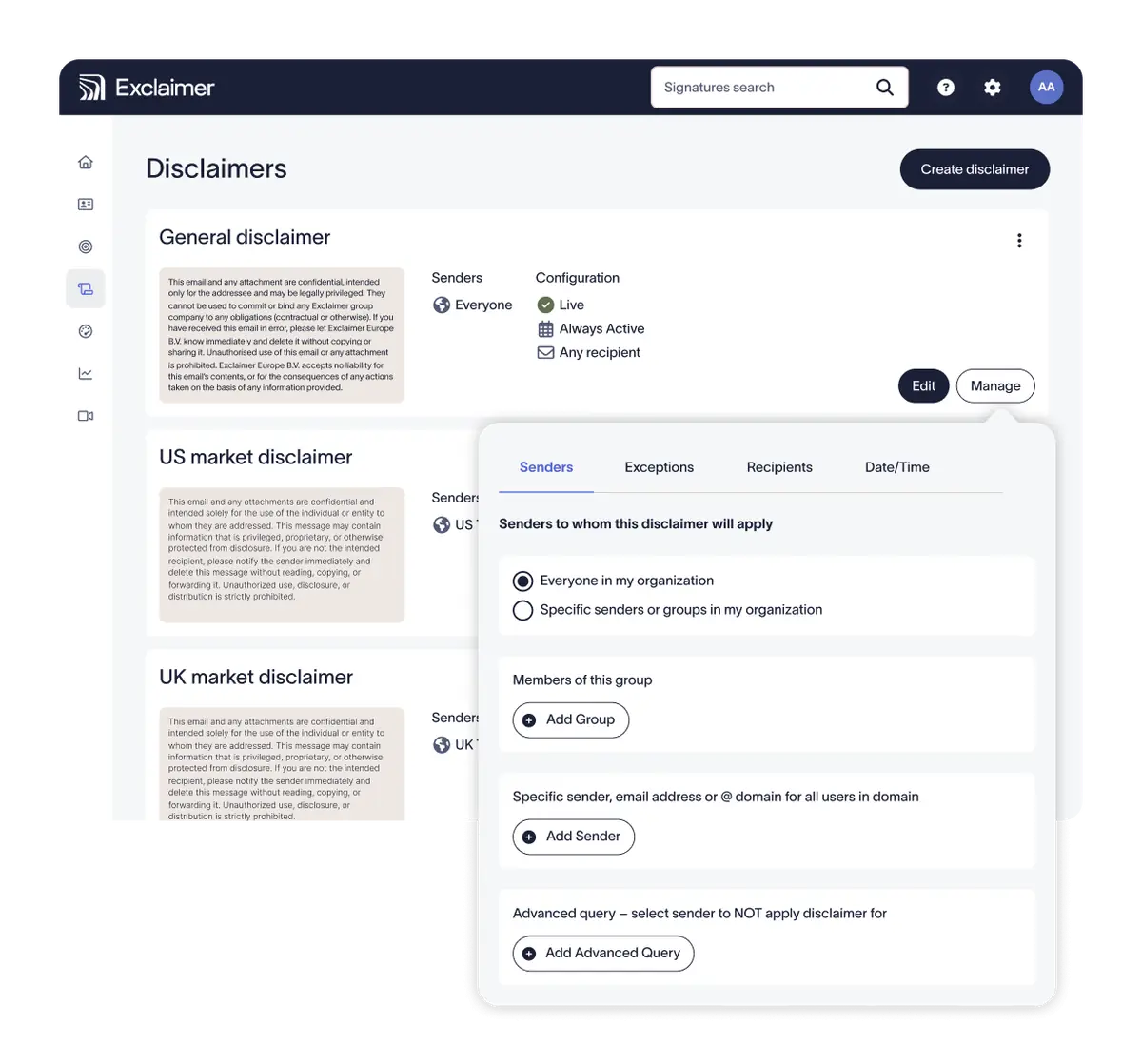
Email signature management is central control of the signature and disclaimer on every email an organisation sends. Email signature software applies approved designs by rule, fills in each person's details from the directory and works on every device. We supply Exclaimer, which does this for Microsoft 365, Google Workspace and Exchange; ask us for a quote.
Get a quote for Exclaimer
Tell us roughly how many users or sites you have and we will come back to you with options and a quote.
What email signature management is
Every email your organisation sends carries its name. Email signature management treats the block at the foot of that email as something the organisation owns: who the sender is, how to reach them, the company details and the legal wording that must travel with business email.
In practice it has three parts: a design that is approved once, rules that decide which version each person or team gets, and a way to apply the result to every message without asking users to do anything. Email signature software, sometimes called an email signature manager, is the tool that does all three.
In the product

Why organisations manage signatures centrally
- Company details and disclaimers: UK companies put their registered details on business email, and regulated firms add wording their regulator expects. Central control means it is on every message, in the current version
- Accurate contact details: job titles, phone numbers and office addresses come from the directory, so a change made once reaches every signature
- One brand: the same logo, colours and layout from every sender, including after a rebrand or a merger
- Less work for IT: no scripts, group policies or mail flow rules to maintain by hand, and no requests to fix one person's signature
- A channel you already own: banners for events, campaigns and announcements on mail your staff send every day
Central management versus leaving it to each user
| Left to each user | Managed centrally | |
|---|---|---|
| Who sets the signature | Each person, in each mail app they use | An administrator, once, for everyone |
| Contact details | Typed by hand and updated when the person remembers | Taken from the directory |
| Disclaimers and company details | Depend on each user keeping the wording | Applied to every message by rule |
| Phones and tablets | A separate signature on each device | The same signature, applied at the server |
| A rebrand or new campaign | An email asking everyone to change it | One change, applied to all |
| Proof of what was sent | None | Rules, and in some plans an audit log |
Not sure which option fits? Ask us
Tell us what you need and we will recommend the right option for your organisation, with a quote.
Email signature software: what to look for
These are the questions worth asking of any email signature software before you buy:
- Which mail platforms does it support: Microsoft 365, Google Workspace, Exchange servers, or more than one?
- Does it apply signatures at the server, in the mail app, or both? Server-side reaches every device; client-side lets users see the signature as they write
- Where do the details come from, and how often are they synchronised from the directory or HR system?
- Can different teams, brands, regions or recipients get different signatures and banners by rule?
- Who can manage content, and can marketing or legal update their part without full administrator rights?
- Where is mail processed, what is stored, and which independent security certifications does the vendor hold?
- How does server-side routing sit with your SPF record and any email security gateway you run?
- How are licences counted, and what happens to the count when people join and leave?
How Exclaimer does it
Exclaimer is the email signature software we supply. It supports Microsoft 365, Google Workspace and Microsoft Exchange, applies signatures server-side, client-side or both on every plan, and synchronises details from Microsoft Entra ID or Google Directory. Standard and Pro add targeting rules, campaign scheduling and more brand kits; Pro adds dashboards, HR system and CRM integrations and meeting branding.
- The product: Exclaimer covers what it does, platforms and integrations
- The plans: Exclaimer pricing and plans compares Starter, Standard and Pro and explains how mailboxes are counted
- Microsoft 365 detail: Exclaimer for Office 365 covers server-side and client-side signatures, mail flow and security
Sources (checked 11 November 2026): Exclaimer's pricing and plans page and its cloud deployment, device deployment and directory synchronisation pages.
Contact us with your mail platform and number of mailboxes for a quote.
Email signature management pricing
With Exclaimer, the product we supply, the price follows the plan you choose and the active mailboxes that carry a signature.
Our Exclaimer pricing page sets out how pricing works.
Get a quote for Exclaimer
Tell us what you need and we will come back to you with a quote.
How Forever Systems helps with email security
We are an independent UK IT and cyber security provider. We supply several email security platforms, so we can suggest what suits your mail system, your risks and your budget.
- Start with what you have: we can review the protection already built into Microsoft 365 or Google Workspace before suggesting anything extra
- Compare like for like: API-based protection, secure email gateways and email filtering, encryption services and DLP from the vendors we supply, explained in plain English
- Get authentication right: we help you plan SPF, DKIM, DMARC and MTA-STS so genuine mail is delivered and spoofed mail is not
- Deployment help: connecting a platform to Microsoft 365 or Google Workspace, mail routing changes and policy set-up, scoped at quote
- Email signatures: one approved signature and disclaimer on every email with Exclaimer email signature management
- People and backup too: security awareness training, Check Point Email Security and Sophos from our specialist sites
Tell us about your mail system and we will suggest options, with pricing confirmed at quote.
Frequently asked questions
What is email signature management?
Email signature management is central control of the signature and disclaimer on every email an organisation sends. An administrator approves the design and sets rules, and software applies the right signature to each message with details from the directory, on every device.
What is email signature software?
Email signature software is the tool that applies centrally managed signatures. It holds the approved designs, synchronises contact details from the directory, decides by rule which signature each sender gets and adds it to the message at the mail server, inside the mail app, or both.
Do Microsoft 365 and Google Workspace manage signatures centrally?
Both let an administrator add text to outgoing mail, for example a disclaimer through a mail flow rule in Microsoft 365 or a footer in Google Workspace. Dedicated email signature software adds designed signatures with each person's details, rules by team, brand and recipient, campaign banners and a signature users can see as they write.
Is email signature management an IT or a marketing job?
Usually both. IT owns the connection to the mail platform, the directory data and the rules; marketing owns the design and campaign banners; legal or compliance owns the disclaimer. Software with role-based access lets each team manage its part.
How is email signature software licensed?
Exclaimer, the product we supply, is licensed per active mailbox, meaning an email address that has a signature applied, on one plan for the organisation. Ask us for a quote for your mailbox count.
Still have a question about Exclaimer?
Ask us and a member of our team will get back to you.
More email security guides
 Email signaturesExclaimer email signature management for Microsoft 365, Google Workspace and Exchange: how signatures are applied, the plans and how we supply it.Exclaimer pricingHow Exclaimer is licensed, the Starter, Standard and Pro plans compared feature by feature, and what we need to quote.Exclaimer for Office 365How Exclaimer works with Microsoft 365: server-side and client-side signatures, directory data, domains, mail flow and security.Email DLPOutbound content inspection, misdirected email and policy-triggered encryption in Microsoft 365, Gmail and our products.Email security policyWhat an email security policy should cover, the best practices to write in and the technical control behind each clause.